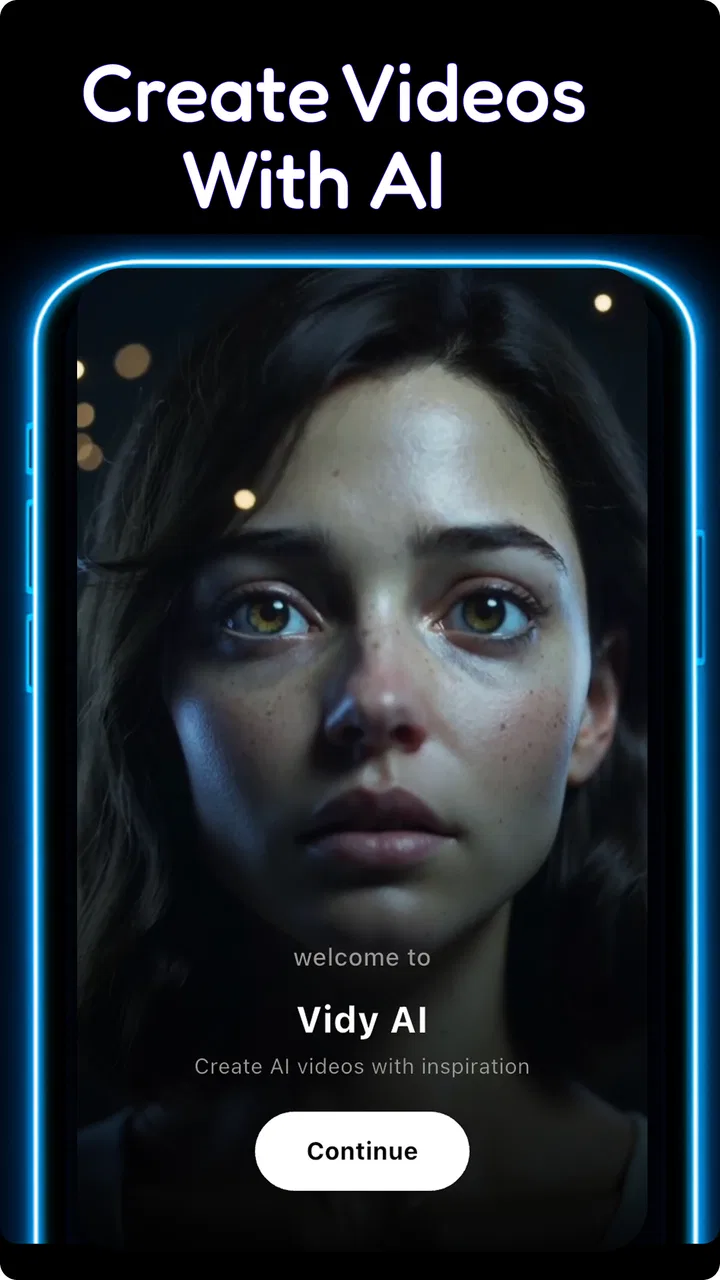
AI Video&AI Kiss&AI Hug-VidyAI
- 4.4
- Rating
- 500.00K
- Installs
- Free
- Price

 Analysis by App-foxy
I approached AI Video&AI Kiss&AI Hug-VidyAI as a quick creative video editor rather than a replacement for a full production suite. Its focus is clear: turning an idea, an image, or a short text prompt into AI-assisted visual content. That makes it interesting for people who want to experiment without spending an afternoon learning a timeline editor, but it also means the quality of the result depends heavily on how carefully you prepare the source and describe the intended motion.
The app sits in the video players and editors category and is developed by AI faceswap video&AI video&AI music. It is free to install, aimed at Everyone, and runs on Android devices using version 7.0 or later. The current version is 1.9.0, and the app has passed half a million installs with an average rating of 4.4 from roughly 25 thousand ratings. Those figures suggest that it has found an audience, although they do not remove the need to judge whether its particular style of AI creation suits your habits.
From a simple idea to a usable first clip
My preferred starting point is deliberately modest. I choose one clear image, decide what I want to happen in the scene, and use a short prompt that describes movement rather than trying to write a complete screenplay. For example, a portrait works better when the instruction concentrates on a gentle smile, a slight turn, or a natural camera movement than when it asks the app to create several unrelated actions at once.
You May Also Like

 Blood Strike: 2.5 Anniversary
Blood Strike’s Loadouts Turn Every Drop Into a Tactical Gamble
A close look at Blood Strike’s custom loadouts: how fast access to signature weapons reshapes its battle royale rhythm, rewards preparation, and narrows the gap between fights.

 Pandora - Music & Podcasts
Pandora’s Music Is Easy to Start, but Harder to Recover
Pandora’s strength is its low-effort path from a seed to a station. Its weak spot is how much confidence it asks you to place in connection, setup, and quiet recovery.

 8 Ball Pool
 Is Built on Rivalries, Rematches, and Routine
A close look at the rivalries, rematches, shared routines, and unanswered safety questions that turn a quick pool match into a persistent mobile community.

 Samsung Music
’s Quiet Strength Is Playing What You Already Own
Its reach comes less from spectacle than from dependable access to a personal library. That simplicity is both the app’s strongest retention engine and its ceiling.

 AccuWeather: Weather Radar
AccuWeather Review: A Quick, Clear Forecast for Everyday Decisions
For everyday plans, the best forecast is the one you can understand quickly. AccuWeather makes rain timing, radar, and local conditions easy to act on, with a few trade-offs.

 Hill Climb Racing
Why Hill Climb Racing Still Turns Crashes Into One More Run
A tiny car, a bumpy hill and one more upgrade: Hill Climb Racing keeps resurfacing because its simple chaos makes every near-miss feel personal.
More From Our News Desk
View All News


This is the first important habit with VidyAI: treat the first generation as a draft, not a finished video. AI animation can produce an appealing result immediately, but small details often need a second attempt. A face may move too much, the background may appear unstable, or the subject may not follow the emotional tone suggested by the text. Reviewing the draft closely is more useful than judging it from the first frame.
The basic workflow is approachable. I would begin with an image-to-video project when I already have a photograph, illustration, or other visual reference worth preserving. Text-to-video is more suitable when the idea matters more than a particular source image. AI image creation can fill the gap when I have a concept but no suitable starting material. Keeping those three routes separate helps avoid a common mistake: trying to repair a weak source image with a more complicated prompt.
The app’s themed AI Kiss and AI Hug possibilities make it especially suited to playful personal clips, greetings, and social posts. I would still use those effects thoughtfully. A convincing result depends on the people being positioned clearly, with enough room for the intended interaction. Two faces partly hidden by hair, sunglasses, cropping, or heavy shadows give the generator less useful information and can make the final movement look awkward.
For an everyday example, imagine preparing a birthday message for a friend. I would select a well-lit photo with both people visible, generate a restrained affectionate motion, and then inspect the result before sharing it. If the first version exaggerates the movement, I would simplify the prompt rather than adding more adjectives. A short, controlled clip usually feels more natural than one that tries to combine a hug, a kiss, a camera spin, changing scenery, and text overlays in a single generation.
Choosing the right starting material
Source preparation has more influence than many new users expect. A front-facing portrait with a clean background gives the animation a stable foundation. For an object or landscape, a distinct subject and clear separation from the background are equally helpful. I would avoid using a tiny crop from a compressed screenshot when a larger, cleaner image is available.
There is also a practical privacy consideration. Since the app is designed around images and human interactions, I would only use photographs that I have permission to edit and share. This matters even more when the result imitates an affectionate gesture. The creative tool may be easy to use, but the responsibility for the source material and the audience remains with me.
Text prompts work best when they answer three simple questions: who or what is moving, what motion should happen, and what overall mood should remain. “A person gently turns toward the camera while the background stays calm” gives the generator a clearer target than a paragraph filled with several competing instructions. I also prefer describing subtle motion first, then increasing it only if the result looks too static.
Settings that deserve attention before generating
I would not rush past the project controls simply because the app is designed for quick results. The useful setting choices are the ones that protect the original idea. Check the selected image, the wording of the prompt, the intended orientation, and the way the finished clip will be used. A vertical social post and a landscape presentation do not make the same demands on framing.
When a project includes two people, composition becomes more important than clever wording. Keep both subjects large enough to read, leave space around their faces, and avoid placing one person at the extreme edge of the frame. This is a repeatable improvement because it helps every later generation, regardless of whether the requested action is a kiss, a hug, or a simple turn.
I also recommend checking the result at normal playback speed rather than relying on a paused preview. AI artifacts can be easy to miss in a still frame and obvious once motion begins. Look for sudden changes in facial shape, hands that lose their position, backgrounds that ripple, or an expression that changes without a believable reason. These are not problems that a longer prompt always fixes; sometimes the better solution is a different source image.
Because the app is free to install but includes purchases ranging from $5.99 to $199.99 per item, I would pay attention to any generation or creation flow that leads toward a purchase before committing to a larger project. The free entry point is useful for testing the style, but anyone planning frequent experimentation should understand the cost of repeating generations. I would begin with a small personal test and decide whether the results justify further spending.
The age rating is Everyone, which makes the app broadly accessible as a creative tool. That should not be confused with a guarantee that every generated result will be appropriate for every audience. I would still review clips before sending them to children, posting them publicly, or attaching them to a professional account, especially when the source involves real people.
Repeatable habits that make the app faster
Experienced use is less about finding a magical prompt and more about reducing wasted attempts. I keep the first prompt short, change one meaningful element at a time, and compare the results. If I alter the image, the action, and the mood simultaneously, I cannot tell which change improved or damaged the outcome.
A useful pattern is to create a clean base clip before adding emotional direction. Start with a simple movement such as a gentle look toward another person. Once the faces remain stable, try the affectionate action. This two-step approach may take an extra generation, but it makes troubleshooting easier because I can identify whether the problem comes from the source image or from the requested interaction.
Another practical shortcut is to prepare a small set of reliable source images in advance. I would keep portraits with even lighting, uncluttered backgrounds, and enough space around the subjects. That turns the app from a random experiment into a repeatable workflow: select a suitable image, write a focused instruction, review the motion, and revise only the weak part.
For text-to-video, I would outline the visual priorities before typing. Decide whether the subject, setting, movement, or mood matters most. If the scene contains too many equally important elements, the generated result may feel vague. A focused concept is easier to evaluate and easier to revise than an ambitious description that has no clear center.
The same discipline helps with AI image creation. I would create an image with the later animation in mind rather than treating image generation and video generation as unrelated steps. A subject facing away from the viewer, a crowded scene, or a complicated pattern may look attractive as a still image but provide a poor base for facial or body movement. Planning for the second stage is one of the app’s less obvious lessons.
Short clips are also easier to inspect and share. If I am making a greeting, reaction, or joke, I would aim for one readable action instead of trying to build a complete story inside one generation. The app is strongest when it supplies a striking moment. For a longer narrative, I would create separate moments and assemble them in a conventional editor afterward, where timing and order are easier to control.
Where the AI approach reaches its limits
VidyAI can make an ordinary image feel lively, but it should not be mistaken for a precision animation system. It is not the tool I would choose when a client needs exact lip synchronization, frame-by-frame control, consistent characters across a long sequence, or predictable brand colors. A traditional editor gives me more dependable control over cuts, captions, audio placement, and timing.
It is also not automatically the best choice for every social video. If my goal is trimming a recording, adding subtitles, balancing sound, or arranging several existing clips, a conventional mobile editor may be faster. VidyAI makes more sense when the central task is generating or transforming visual content, not when I already have all the footage and only need clean assembly.
Human interactions deserve extra scrutiny. AI Kiss and AI Hug concepts can be amusing or sentimental, but unnatural contact is immediately noticeable. Hands, shoulders, hair, and facial boundaries are difficult areas for generated motion. I would reject a technically interesting result if the people look uncomfortable or if the action changes their identity. The most shareable clip is not necessarily the most elaborate one; it is the one that remains visually coherent.
There is a second trade-off involving consistency. A single image may animate well, while a sequence made from several different images can look like it belongs to different visual worlds. If continuity matters, I would keep the same source style, lighting, and framing across the project. For a casual post this may be unimportant, but for a story or presentation it becomes a visible weakness.
Prompt wording has limits too. Adding more descriptive language does not guarantee more control. When a generation fails, I would first simplify the instruction, use a clearer image, or reduce the number of requested actions. This is more effective than endlessly expanding the prompt with synonyms. The app rewards clarity and iteration rather than verbal complexity.
Performance expectations should remain realistic on a mobile device. AI creation can involve waiting and repeated review, so I would avoid beginning a large batch when I need an immediate finished video. The app is better suited to short creative sessions where I can inspect each result than to a deadline that requires a guaranteed output on the first attempt.
Who will enjoy it, and who should choose something else?
I think this app is a good fit for curious creators, casual social users, and anyone who wants to turn a still image into a playful moving moment. It is particularly appealing when the goal is a greeting, a humorous transformation, a visual experiment, or a quick concept test. The free installation makes it easy to explore before deciding whether the available creation options justify in-app spending.
It is less suitable for someone who wants a conventional editor with detailed manual controls. If I need exact transitions, a carefully mixed soundtrack, precise text animation, or a dependable multi-layer timeline, I would choose a dedicated video editor instead. Likewise, a professional workflow involving client approvals and repeatable visual specifications would benefit from tools built around consistency rather than surprise.
Users who dislike trial and error may also become frustrated. The app can shorten the distance between an idea and a visual result, but it does not remove the creative decisions. Better images, clearer prompts, and patient review still matter. Its convenience is real, yet it is convenience at the concept stage, not a promise of perfect automation.
My verdict after using it as a creative shortcut
What I like most about AI Video&AI Kiss&AI Hug-VidyAI is the way it encourages small experiments. I can begin with a familiar photograph or a simple idea and quickly see whether motion adds anything worthwhile. The app’s strongest results come from restrained requests, good framing, and a willingness to regenerate when the first attempt is merely amusing rather than convincing.
My advice is to build a repeatable routine: prepare a clean image, choose one action, write a direct prompt, inspect the complete playback, and change only one variable on the next attempt. That habit gives the app a much better chance of producing something I would actually share. It also prevents the common mistake of blaming the generator when the source image or concept was too complicated.
With its Everyone rating, free installation, Android compatibility from version 7.0 onward, and strong audience response, it is easy to try. The purchase range means I would test the experience before treating it as a regular production tool. For quick AI-assisted visual moments, it is engaging and approachable. For precision editing, long-form storytelling, or professional consistency, I would pair it with a traditional editor or choose a more controlled alternative.
My final recommendation is therefore selective but positive: use it when the fun lies in transforming an idea into a short visual surprise. Keep expectations grounded, review every generated clip, and protect the dignity and permission of anyone shown. Used that way, VidyAI is a convenient playground for image-to-video and text-led experiments, rather than an all-purpose replacement for the rest of your mobile video toolkit.
FAQs for AI Video&AI Kiss&AI Hug-VidyAI
01What features does AI Video&AI Kiss&AI Hug-VidyAI offer?
AI Video&AI Kiss&AI Hug-VidyAI provides users with the ability to create personalized AI-generated videos and animations. It includes features like AI-powered video editing, realistic kiss and hug simulations, and customizable templates. The app is designed to be user-friendly, allowing for easy creation of engaging content without needing extensive video editing skills.
02Is AI Video&AI Kiss&AI Hug-VidyAI free to use?
The app offers a free version with limited features, allowing users to explore basic functionalities. However, for access to premium features such as advanced AI animations and additional templates, a subscription or one-time purchase may be required. The pricing details are available within the app store description.
03Does AI Video&AI Kiss&AI Hug-VidyAI require an internet connection?
Yes, an internet connection is necessary for AI Video&AI Kiss&AI Hug-VidyAI to function effectively. The app relies on cloud-based AI processing for generating videos and animations, ensuring high-quality results. Users should ensure a stable internet connection for the best experience.
04Is my data safe with AI Video&AI Kiss&AI Hug-VidyAI?
The app prioritizes user privacy and data security. It follows strict protocols to protect personal information and video content. However, users should review the privacy policy to understand how their data is managed. Regular updates ensure compliance with the latest security standards.
05Can AI Video&AI Kiss&AI Hug-VidyAI be used on both Android and iOS devices?
Yes, AI Video&AI Kiss&AI Hug-VidyAI is available for both Android and iOS platforms. Users can download the app from the Google Play Store and the Apple App Store, ensuring compatibility with a wide range of devices. Ensure your device meets the minimum system requirements for optimal performance.
Pros
- Intuitive user interface for easy navigation.
- High-quality video output with AI enhancements.
- Variety of AI-generated effects to explore.
- Regular updates with new features included.
- Low resource consumption on devices.
Cons
- Limited free features; subscription required.
- Occasional lag during video rendering.
- AI effects can be inconsistent at times.
- Requires stable internet for best performance.
- Limited customer support response time.

AI Video&AI Kiss&AI Hug-VidyAI
Gallery